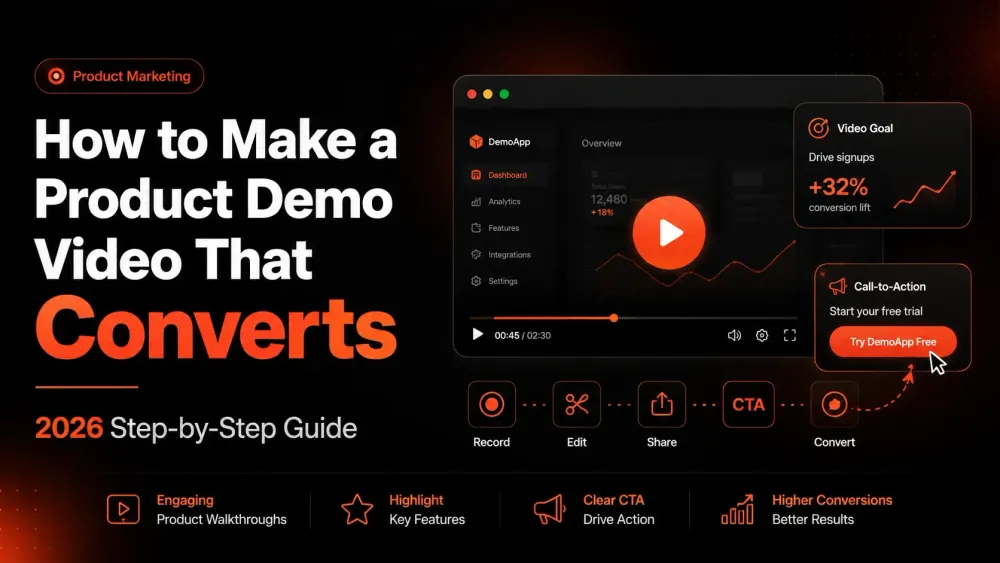
How to Make a Product Demo Video That Converts (2026 Step-by-Step Guide)
A converting product demo video needs one workflow, a 150-word script, and under an hour of your time. This step-by-step 2026 guide covers scripting, screen prep, one-take recording, and letting AI handle the post-production.
Zenrecap Team
June 12, 2026 · 4 min read
How to Make a Product Demo Video That Converts (2026 Step-by-Step Guide)
A great product demo video does the work of a hundred sales calls. It shows your product solving a real problem, runs 24/7 on your landing page, warms up prospects before sales ever talks to them, and answers support questions before they get asked.
And in 2026, you no longer need a video team, a studio, or editing software to make one. Here is the complete process - from script to share link - using nothing but your browser.
What Makes a Demo Video Convert?
The demos that convert share four traits:
- They open with the problem, not the product. Viewers care about their pain, not your interface.
- They are short. The best-performing product demos run 60-120 seconds for landing pages, 3-5 minutes for sales follow-ups.
- They show one workflow, start to finish. A demo that tours every feature converts worse than one that nails a single "aha" moment.
- They end with one clear action. Sign up, book a call, start a trial - pick exactly one.
Step 1: Pick the One Workflow That Sells
Do not demo your product. Demo the moment your product makes someone's day better.
Ask: what is the single workflow where a new user first says "oh, that's nice"? That moment is your demo. Everything else is a distraction.
Example: For Zenrecap, that moment is recording your screen and getting a shareable link with an AI transcript - instantly. Not the settings page. Not the account dashboard. The magic moment.
Step 2: Write a 4-Part Script (Keep It Under 150 Words)
Use this structure - it works for virtually every SaaS demo:
1. The hook (5-10 seconds): Name the pain.
"Writing long emails to explain something you could just show? There's a faster way."
2. The promise (5 seconds): What will they see?
"Here's how to record your screen and share it in under a minute."
3. The walkthrough (45-90 seconds): Show the workflow. Narrate what you're doing and why - viewers follow intent, not clicks.
4. The close (5-10 seconds): One call to action.
"Install free at zenrecap.com and send your first recording today."
Read your script out loud twice before recording. Anything you stumble on, rewrite.
Step 3: Prep Your Screen (5 Minutes That Make You Look Professional)
- Close every tab except what you are demoing
- Hide bookmarks bar and personal info (Cmd/Ctrl+Shift+B)
- Turn on Do Not Disturb - a Slack notification mid-demo kills the take
- Use demo data - realistic names and content, never "test test asdf"
- Set browser zoom to 110-125% so UI elements are readable on small screens
Step 4: Record It in One Take (Yes, Really)
Perfectionism is the enemy of shipped demos. With a browser recorder like Zenrecap:
- Click the extension icon
- Choose your tab or full screen, enable mic (and camera if you want a face bubble - it lifts engagement on sales demos)
- Hit record, follow your script
- Flub a line? Pause two seconds and repeat the sentence - keep rolling
Small imperfections make demos feel human. A slightly imperfect demo that ships today beats a polished one that ships next month.
Step 5: Let AI Handle the Post-Production
This is where 2026 differs from even two years ago. With Zenrecap, the moment you stop recording:
- An AI transcript is generated - searchable and clickable, so a prospect can jump straight to the part about pricing or integrations
- An AI summary gives viewers the 2-3 sentence gist before they press play
- AI chapters split longer demos into sections - "Setup," "Recording," "Sharing" - so no one scrubs blindly
What used to require an editor and a captioning service now happens automatically, for free.
Step 6: Share It Where It Works Hardest
Your recording has an instant share link. Put it to work:
- Landing page - embed near the primary CTA; visitors who watch demos convert at significantly higher rates
- Sales follow-ups - "Here's the 2-minute walkthrough of what we discussed" beats any text recap
- Cold outreach - a personalized 60-second demo gets replies generic emails never will
- Support docs - one demo video deflects the same ticket forever
- Onboarding emails - day-1 activation improves when new users see the workflow instead of reading it
Common Demo Video Mistakes to Avoid
- Touring every feature - one workflow per video; make more videos instead
- Starting with "Hi, I'm... and today I'll show you..." - you have 5 seconds; spend them on the viewer's problem
- Recording in 4K then showing tiny UI - zoom your browser instead
- No transcript - many viewers watch muted; a clickable transcript rescues them
- Burying the CTA - say it and put it in the text next to the video
Ship Your First Demo Today
The full process - script, prep, record, share - takes under an hour for your first video and under 15 minutes once you have done it twice.
Install the free Zenrecap Chrome extension, record your one magic workflow, and your demo comes back with the transcript, summary, and chapters already done.