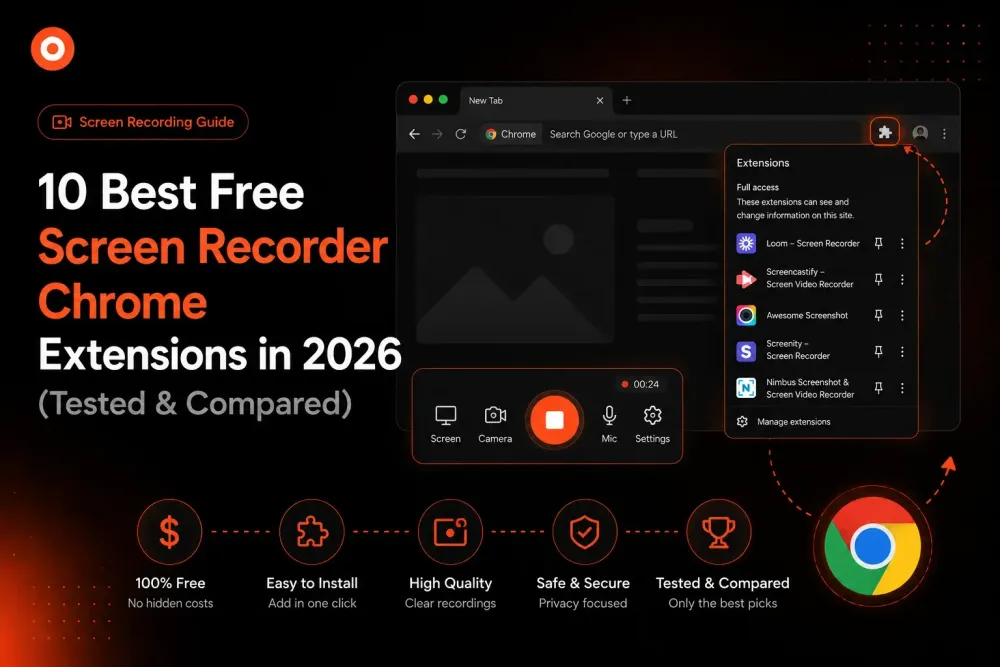
10 Best Free Screen Recorder Chrome Extensions in 2026 (Tested & Compared)
We tested the most popular screen recorder Chrome extensions of 2026 and ranked them by free-plan limits, AI features, and sharing speed. Here are the 10 best - and what each one actually costs once you hit the paywall.
Zenrecap Team
June 12, 2026 · 5 min read
10 Best Free Screen Recorder Chrome Extensions in 2026 (Tested & Compared)
Looking for a screen recorder that works right inside Chrome - no downloads, no watermarks, no surprise paywalls? We tested the most popular screen recording extensions available in 2026 and ranked them by what actually matters: recording quality, free-plan limits, AI features, and how fast you can go from "record" to "shared link."
Here are the 10 best free screen recorder Chrome extensions in 2026.
What Makes a Great Screen Recorder Extension?
Before the list, here is the exact criteria we tested against:
- True free tier - not a 7-day trial dressed up as "free"
- No watermarks on recordings
- Recording limits - how many videos, how long each can be
- Instant sharing - a link the moment you stop recording
- AI features - transcripts, summaries, and chapters included or paywalled
- Camera + mic support - screen-only recorders did not make the cut
1. Zenrecap - Best Overall Free Screen Recorder
Zenrecap takes the top spot because it includes features that every other tool locks behind a paid plan - for free.
What you get:
- One-click recording of screen, camera, and microphone together
- Instant shareable link the moment you stop recording
- AI transcripts on every recording - viewers can search the transcript and click any line to jump to that moment
- AI summaries - a 2-3 sentence overview generated automatically
- AI chapters - long recordings get split into navigable sections
- No watermarks
Free plan limits: Generous - built to be genuinely usable for daily work.
Best for: Anyone who shares recordings with a team. The AI transcript alone saves viewers from scrubbing through videos to find one moment.
2. Loom - Best for Large Enterprise Teams
Loom is the household name in async video, used by over 14 million people across 200,000 companies. The product is polished and the viewing experience is excellent.
The catch: The free tier is limited (capped videos, 5-minute max length), and AI features - transcripts, summaries, titles - require the Business + AI plan at $24 per user/month. For a 10-person team, that is $2,880 a year for features some competitors include free.
Best for: Enterprises that need admin controls, SSO, and a mature ecosystem - and have the budget for it.
3. Screencastify - Best for Google Classroom & Education
A veteran in the space, deeply integrated with the Google ecosystem (Drive, Classroom, Slides). Teachers love it.
The catch: The free plan is capped at 10 videos with a 30-minute limit per recording. Unlimited recording requires the Starter plan at $19/month.
Best for: Educators already living in Google Workspace.
4. Awesome Screen Recorder - Best Markup Tools
Offers the most comprehensive annotation toolkit in the category - draw, blur, highlight, and add shapes directly on your recordings and screenshots.
The catch: Free tier caps you at 20 recordings, and 4K export requires the $6/month Professional plan.
Best for: Visual feedback workflows - design reviews, QA annotation.
5. Vidyard - Best for Sales Outreach
Vidyard positions itself for sales teams: video prospecting, viewer analytics, and CRM integrations.
The catch: The free plan caps video length, and the analytics that make it valuable for sales are on paid tiers.
Best for: SDRs and account executives sending personalized prospect videos.
6. Scribe - Best for Step-by-Step Documentation
Scribe is technically a process-documentation tool rather than a pure recorder - it converts your clicks into written step-by-step guides with screenshots automatically.
Best for: Building SOPs and how-to documentation, not video messages.
7. Screenity - Best Open-Source Option
Free and open-source with no recording limits, plus annotation tools and local-only saving for privacy-sensitive work.
The catch: No cloud hosting, no instant share links, no AI features. You get a file, and distribution is on you.
Best for: Privacy-first users who want everything stored locally.
8. Komodo - Best for Quick SOPs with Video
Records your screen and automatically creates both a video and a step-by-step guide from one capture session.
Best for: Teams documenting workflows that change often.
9. Tella - Best for Polished Standalone Videos
Beautiful layouts, backgrounds, and editing - closer to a lightweight video studio than a quick messenger.
The catch: The polish comes with a price; the free tier is a trial in practice.
Best for: Founders recording demos for landing pages.
10. Chrome's Built-In Screen Capture - Best for Zero Installs
Chrome and ChromeOS include basic screen capture natively. No extension, no account.
The catch: No camera bubble, no sharing infrastructure, no editing, no AI. You get a raw file.
Best for: One-off captures where you just need pixels saved.
Comparison Table: Free Plans Compared
| Extension | Free Recordings | AI Transcripts | AI Summaries | Instant Share Link | Watermark |
|---|---|---|---|---|---|
| Zenrecap | Generous | ? Free | ? Free | ? | None |
| Loom | 25 videos, 5 min max | Paid only | Paid only | ? | None |
| Screencastify | 10 videos, 30 min max | Paid only | ? | ? | None |
| Awesome Screen Recorder | 20 recordings | ? | ? | ? | None |
| Screenity | Unlimited (local) | ? | ? | ? | None |
The Verdict
If you want the full async video workflow - record, AI transcript, AI summary, instant link - without paying, Zenrecap is the clear winner in 2026. Loom remains the safest enterprise choice if budget is no concern, and Screenity is the pick for local-only privacy.
Try it yourself: Install the free Zenrecap Chrome extension and record your first video in under a minute.