AI Meeting Notes Without a Bot: The 2026 Guide to Bot-Free Meeting Capture
Meeting bots are getting blocked, muted, and side-eyed in 2026. Here are the three real ways to get AI meeting notes without a bot joining your calls - and why async recording beats live capture for most meetings.
Zenrecap Team
June 12, 2026 · 4 min read
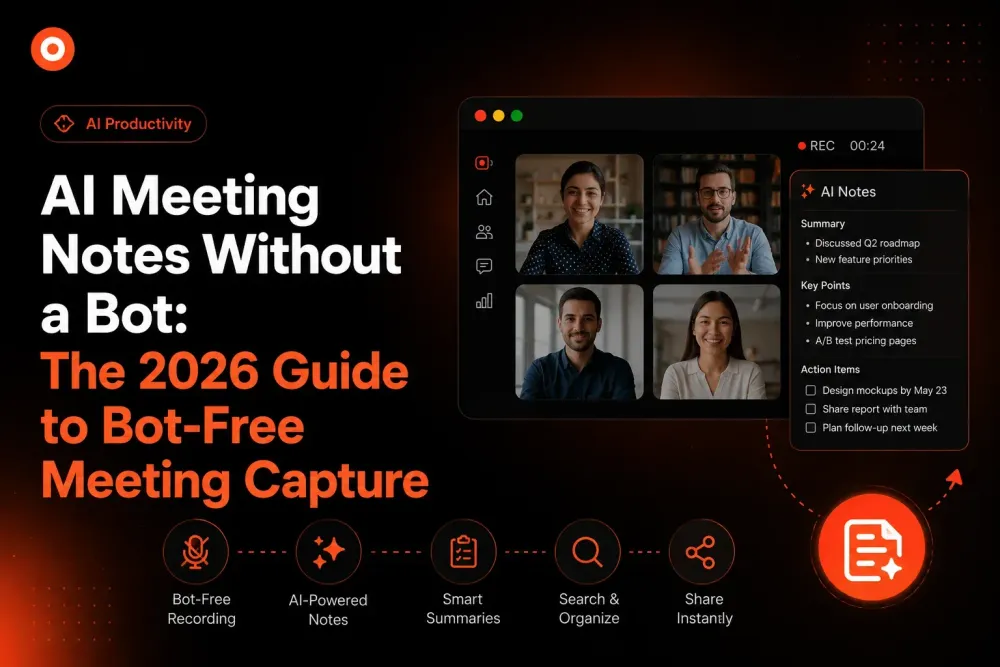
AI Meeting Notes Without a Bot: The 2026 Guide to Bot-Free Meeting Capture
You have seen it happen: a meeting starts, and three uninvited guests appear in the participant list - "Fireflies Notetaker," "Otter.ai," "Fathom Bot." Half the room wonders who is recording them and why. Clients find it unprofessional. Some prospects refuse to speak openly with a bot in the room.
In 2026, more than 60% of enterprises use some form of AI transcription or note-taking - up from under 20% in 2022. But the visible meeting bot is dying, and bot-free capture is taking its place. Here is how to get AI meeting notes without sending a robot into your calls.
Why Meeting Bots Became a Problem
Bot-based note takers join your meeting as a participant. That approach made them easy to build - and created problems that compound at scale:
They change the conversation. Research on recorded meetings consistently shows participants speak more cautiously when a visible recorder is present. Sales discovery calls and candid 1:1s suffer most.
They create consent friction. A bot joining triggers recording notifications, legal questions, and "wait, what is that?" moments at the start of every call.
They get blocked. Many enterprises now block unknown bot participants at the calendar or platform level. Your notetaker simply never arrives.
They require an invitation. Forget to invite the bot, and the meeting is lost. The capture depends on remembering one more step.
The Bot-Free Alternatives in 2026
1. Platform-Native AI (Zoom AI Companion, Teams Copilot, Gemini in Meet)
Zoom, Microsoft, and Google all ship built-in AI summaries now. No bot joins because the platform itself does the capture.
Strengths: Zero setup, deeply integrated. Limits: Locked to that one platform, requires specific license tiers, and the notes live inside that vendor's ecosystem. A team using Zoom for sales calls and Meet for internal syncs ends up with notes in two silos.
2. Local Capture Apps
Tools like Meetily and ScreenApp record audio directly from your device - no bot, works across any meeting platform, and some run transcription locally for privacy.
Strengths: Platform-independent, privacy-friendly. Limits: Capture only your side of the setup; quality depends on your device audio routing.
3. Screen Recording with Automatic AI Notes - the Async-First Approach
Here is the option most teams overlook: many "meetings" do not need to be live in the first place. Record a screen walkthrough with your voice, and let AI generate the transcript, summary, and chapters automatically.
This is the Zenrecap model:
- Record your screen + camera + mic with one click - in any context, not just meetings
- The recording is automatically transcribed - every word searchable, every line clickable to jump to that moment
- An AI summary tells viewers what the video covers before they press play
- AI chapters split longer recordings into navigable sections
No bot, no meeting required, no platform lock-in. The "meeting notes" are generated from the recording itself.
Live Meeting vs Async Recording: Which Do You Actually Need?
Before solving "how do I capture this meeting," ask whether the meeting needs to exist. The 2026 rule of thumb:
| Scenario | Best Format |
|---|---|
| Status updates | Async recording - no meeting needed |
| Demos and walkthroughs | Async recording with AI chapters |
| Design/code review feedback | Async recording viewers can timestamp |
| Negotiation, sensitive topics | Live meeting, platform-native AI notes |
| Brainstorming | Live meeting |
| Recurring info-sharing | Async recording, replace the meeting entirely |
Teams that adopt this split report fewer meetings and better documentation - because async recordings are born documented. The transcript, summary, and chapters exist the moment the recording ends.
What to Look For in a Bot-Free AI Notes Tool
- Automatic transcription - not an upload-and-wait extra step
- Clickable transcripts - reading is faster than watching; jumping to the right moment is faster than both
- AI summaries - so people can triage what to watch
- Chapters for long recordings - a 40-minute recording without navigation is a wall
- Instant share links - capture is worthless if distribution is clunky
- No per-seat AI pricing - bot-based tools commonly charge $10-20 per user/month for AI features
The Bottom Line
The bot era of meeting notes is ending. In 2026 you have three real options: platform-native AI for the live meetings you must have, local capture for cross-platform privacy, and async screen recording for everything that never needed to be a meeting.
For that third category - the biggest one - Zenrecap gives you AI transcripts, summaries, and chapters on every recording automatically, free.
Record your first bot-free, auto-documented video at zenrecap.com.